Let's say you want to start a YouTube channel. You have no camera, no editing skills, no big budget, and maybe no face you want to put on the internet. A year ago, that would have been a real problem. Today, it is not even a small one.
AI has made it genuinely possible for a single person sitting at a laptop to produce videos that look like they came from a full production team. Not "good enough" videos. Actually great ones, with professional voiceovers, cinematic visuals, and scripts that keep people watching until the end. The channels doing this right now are pulling in millions of views a month, and the people running them are mostly doing it alone.
But here is the thing most tutorials skip: the process matters. You can have access to every AI tool in the world and still make videos that nobody watches if you do not know how to pick the right topics, write a script that actually hooks people, or put it all together in a way that feels polished. This article walks you through the exact process, from zero to finished video, using a workflow that is faster than anything most creators are doing right now.
Step 1: Find Topics That Are Already Proven to Work
The biggest mistake new creators make is picking video topics based on what they think is interesting. The smarter move is to look at what is already working for channels in your niche and then build from there.
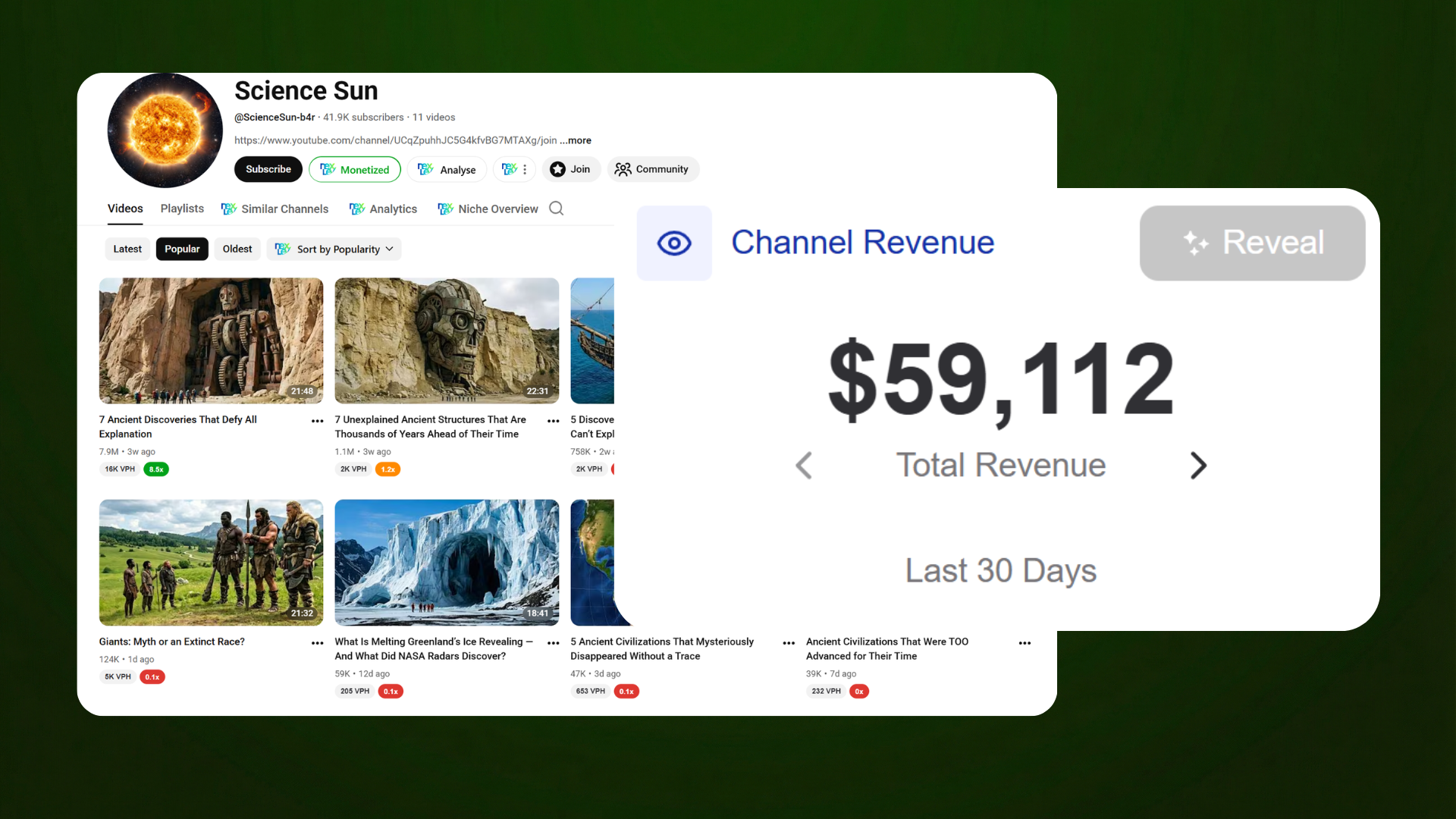
Here is how to do it. Go to YouTube and find a channel in your niche that is already doing well. Let's say you want to make ancient history content. Search for channels in that space and sort their videos by most popular. Take a screenshot of their top videos.
Then open Claude.ai and paste this prompt:
"I'm going to upload screenshots of a YouTube channel's most popular videos. Your job is to analyze which topics get the most views, which title structures repeat, and what patterns are clearly working. Then create 15 new video ideas in the same niche using similar title structures. Don't cover basic stuff people have already heard. It must be something new and unique, with high curiosity and mass appeal. Keep titles simple and clickable. Do not make them sound generic or AI-generated."
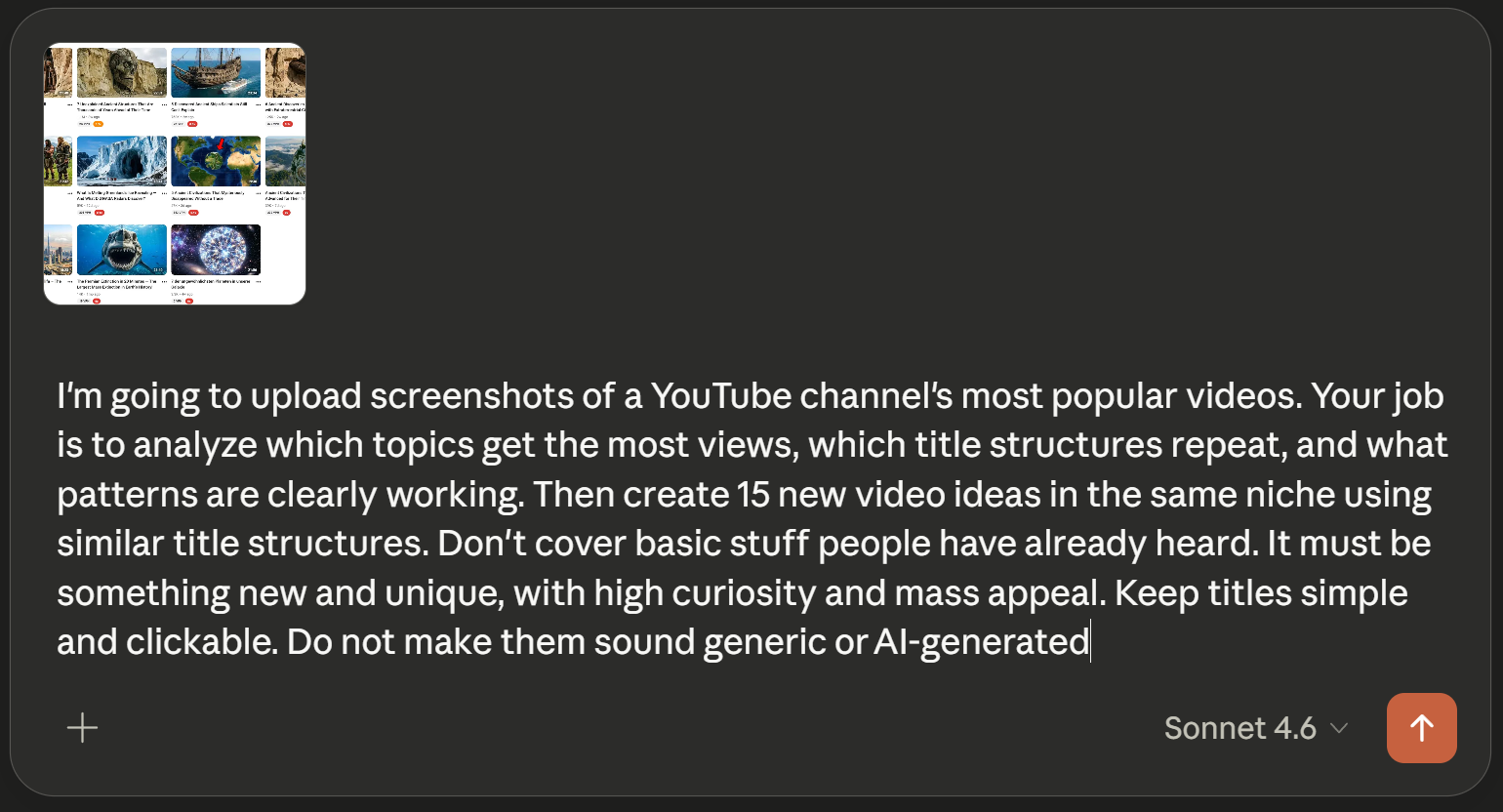
Upload the screenshot and let it do the analysis. What you get back is a list of ideas that are built on what already works, not guesswork. You are not copying anyone. You are reading the market and building something better.
A title like "7 Lost Technologies from Ancient Civilizations That We Still Can't Reproduce" works because it combines a specific number, a surprising premise, and a built-in question the viewer needs answered. That structure is repeatable across hundreds of topics. The AI will find that structure for you and generate a batch of ideas you can immediately use.
Step 2: Research the Angle That Makes Your Video Feel Fresh
Once you have picked one of those ideas, the next step is to find the specific facts and details that make your video feel different from everything else on the topic. Generic information kills watch time. If someone feels like they have heard this before, they leave.
Go back to Claude with this prompt:
"I'm creating a YouTube video titled [YOUR TITLE]. I want this video to feel NEW and not like something people have already heard before. Find lesser-known facts, obscure details, and surprising insights that are rarely mentioned in typical content on this topic. Avoid basic or widely known information. Focus on specific examples and unusual details that make the viewer think 'I've never heard this before.' Give me 20 to 30 unique points I can use in the video."
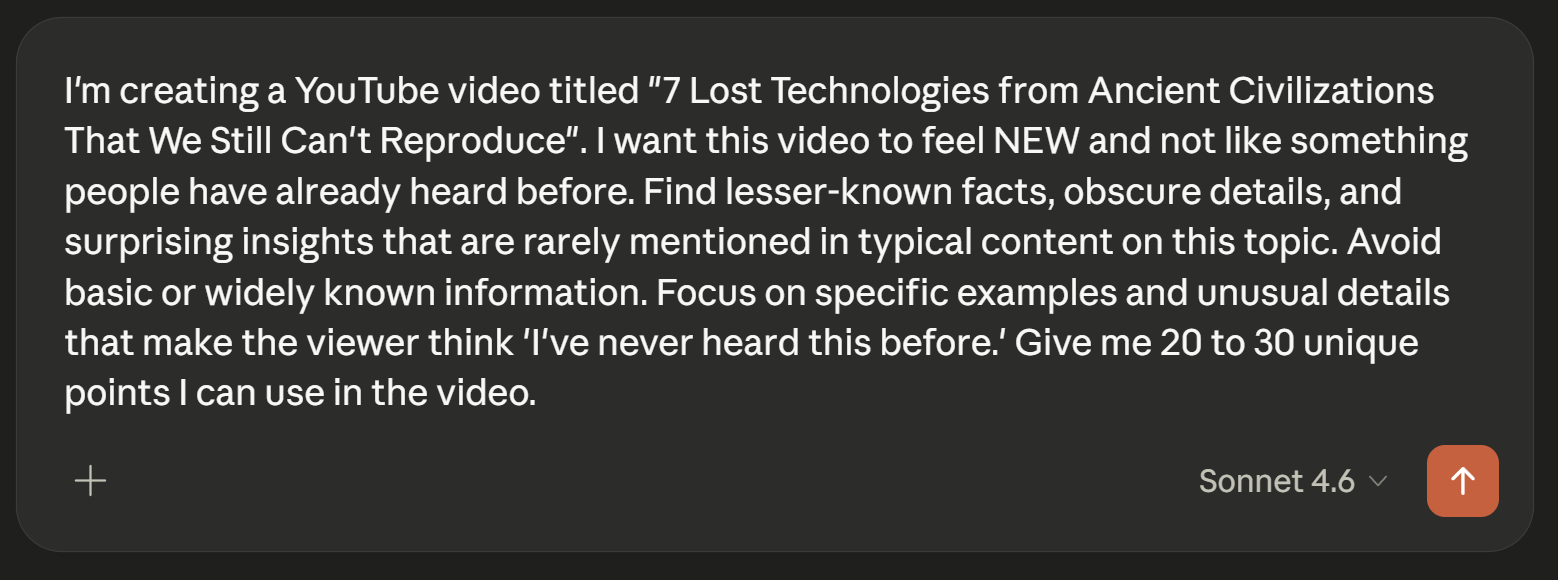
This is where most creators cut corners and it shows. The videos that blow up in the history, science, and documentary niches are not the ones covering the same three facts everyone already knows. They are the ones that make the viewer feel like they just learned something they can go tell someone else. That feeling of discovery is what drives shares and watch time, and it is what you are engineering here before you even write a single word of script.
Step 3: Write the Script With Sollo's YouTube Script Writer
This is where the workflow really separates itself from anything else out there. Writing a script from scratch takes hours. Getting a script that actually sounds good and keeps people watching takes even longer if you are doing it manually.
Sollo AI (sollo.ai) has a YouTube Script Writer that does something no other tool currently does. You can feed it the research notes you just generated, add a YouTube channel link to match the writing style, set your monetization goal, and it will produce a script built around your specific content from the ground up.
That style-matching feature is the game changer. Instead of getting a generic script that sounds like it was written by a machine, you get something that sounds like it belongs on the channel you are trying to build. If you want your videos to feel like a specific creator's work, you can point to a channel you admire and Sollo will learn the pacing, the tone, and the sentence rhythm from it.
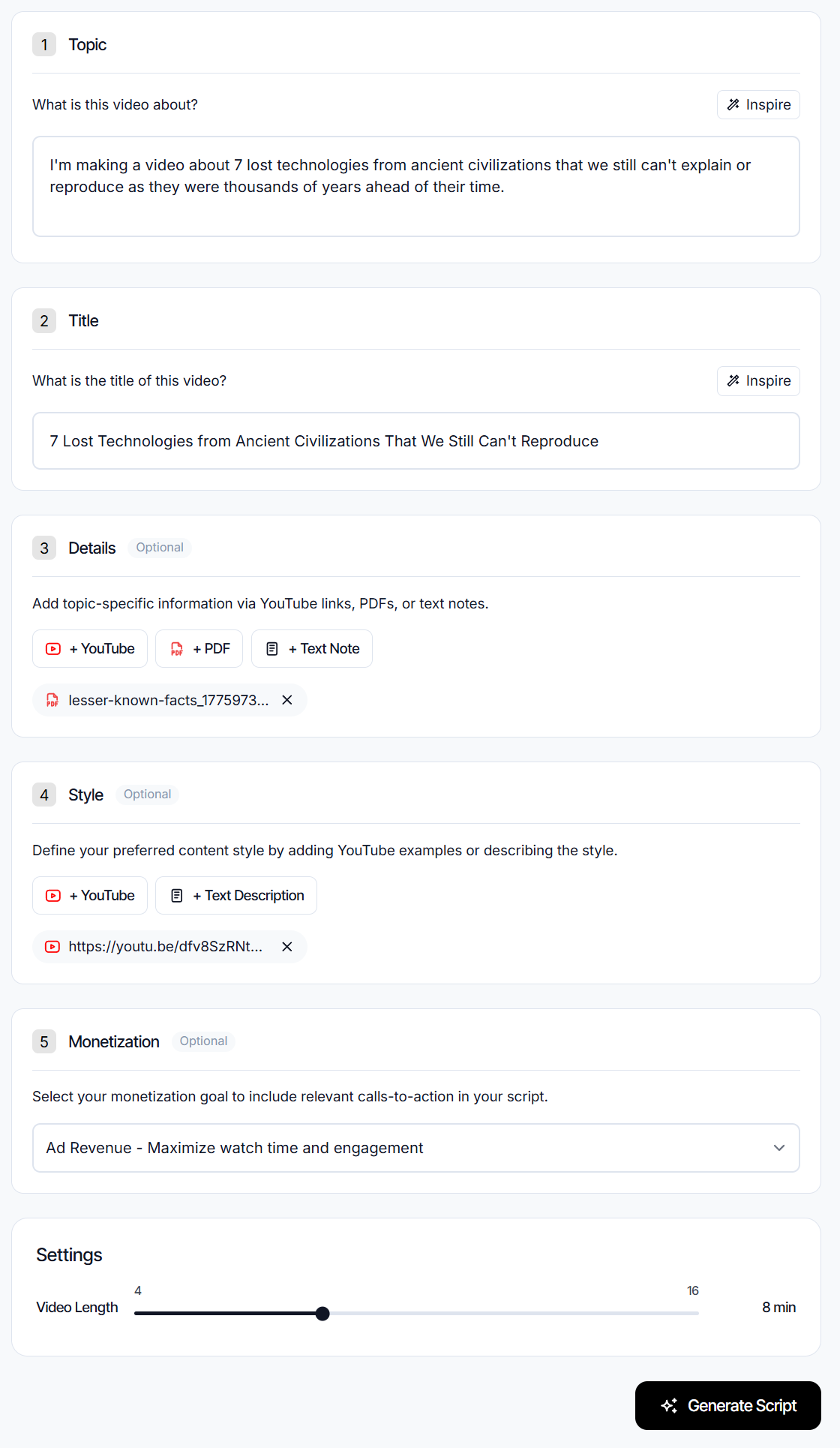
Here is how to set it up inside Sollo:
Topic: Paste a one-sentence description of what your video is about. For example, "I'm making a video about 7 lost technologies from ancient civilizations that we still can't explain or reproduce."
Title: Add the specific title you landed on from Step 1.
Details: Upload your research as a PDF or paste it as a text note. This is the 20 to 30 unique points you pulled from Claude. Sollo will use this as the factual backbone of the script so you are not getting made-up information.
Style: Add a YouTube link to a channel whose style you want to match. This is what makes the output feel human and specific rather than like a template.
Monetization: Select "Ad Revenue" if your goal is to maximize watch time, which it should be if you are in a broad-appeal niche like history, science, or geography.
Set your video length, hit generate, and you have a full script in under a minute. That script would have taken a professional writer two to four hours to produce.
Step 4: Generate the Voiceover
Once your script is done, you need a voice. This is where most people either spend a lot of money on a voice actor or settle for a robotic text-to-speech output that kills the viewing experience.
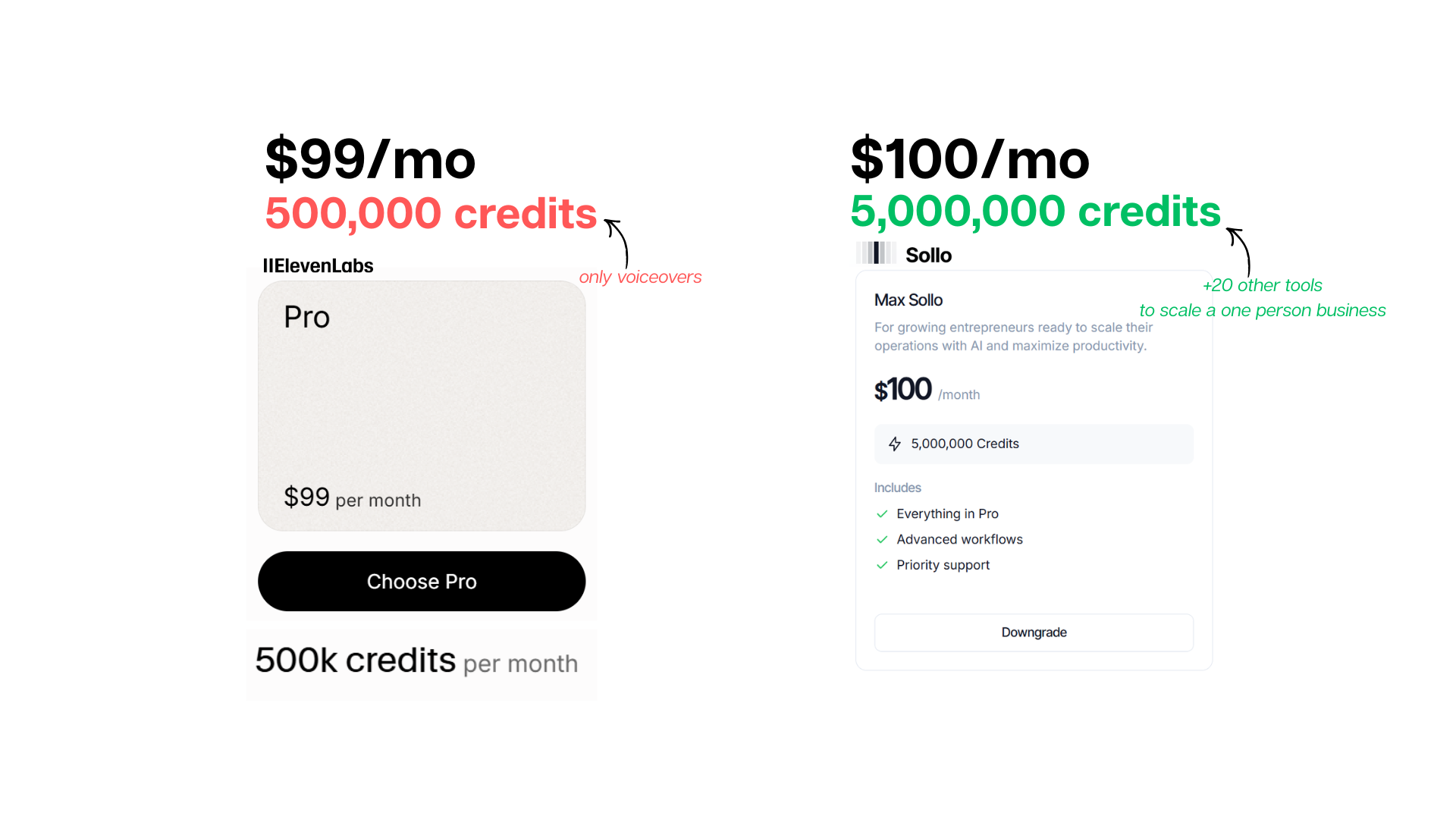
Sollo's AI Voice Studio solves this, and it does it at a price point that should make ElevenLabs uncomfortable. Here is the direct comparison:
ElevenLabs Pro: $99/month for 500,000 credits Sollo AI Max: $100/month for 5,000,000 credits plus 20 other tools
Same price. Ten times the credits. And Sollo is not just a voice tool. The $100 plan includes everything else in the platform: the script writer, the video generator, the image creator, the SEO tools, the chatbot builder, and more. You are not paying $100 for voiceovers. You are paying $100 to run an entire content operation.
Paste your script into Sollo's voiceover tool, pick a voice that matches the tone of your channel, and generate. The output is clean, natural-sounding, and ready to drop into your video editor without any post-processing.
Step 5: Generate the Video Clips
This is the part that used to require either a big stock footage budget or hours of sourcing free clips that never quite matched what you needed. AI video generation has changed that completely.
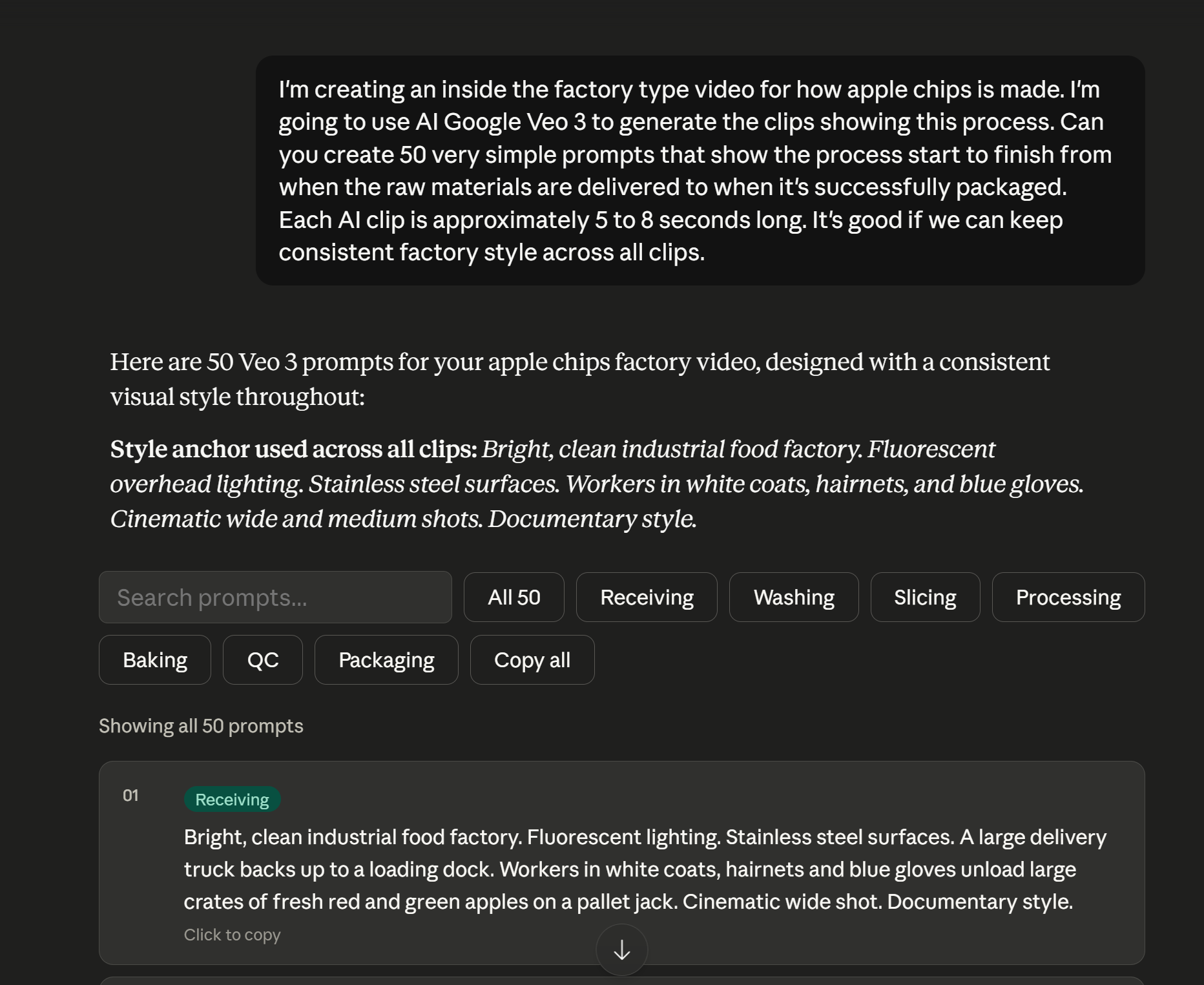
Go back to Claude and paste this into the same chat where you did your research:
"I'm creating a video titled [TITLE]. I'm going to use AI to generate the clips. Can you create 50 very simple prompts that show the story from start to finish based on my script? Each clip is approximately 5 to 8 seconds long. Keep a consistent visual style across all clips."
Claude will produce a full list of scene prompts. Then take those prompts into Sollo's Video Studio and generate each scene. The output is cinematic AI footage that you can arrange in sequence to build the full video.
The key here is asking for consistent style across all clips in your prompt. Inconsistent visuals are one of the biggest quality killers in AI videos. If you tell the model to keep everything in the same cinematic realism style with the same lighting conditions, the result holds together in a way that actually feels like a produced documentary rather than a random collection of clips.
Step 6: Create the Thumbnail
Your thumbnail is doing more work than almost any other part of the video. It is the first thing someone sees and it determines whether they click at all. A weak thumbnail means a weak click-through rate, which means YouTube stops recommending your video, which means nobody ever sees it no matter how good the content is.
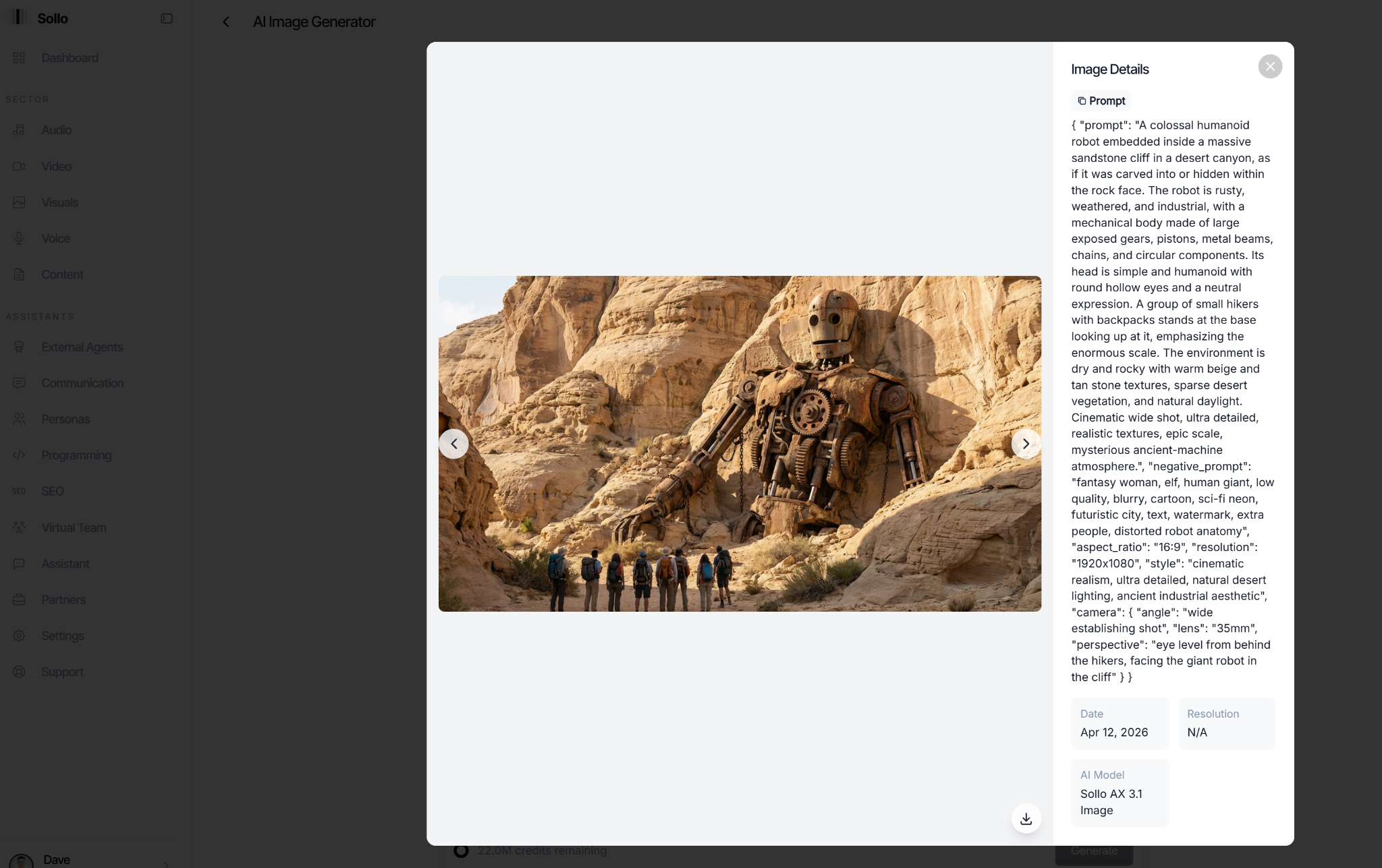
Go to Sollo's Image Generator and write a detailed visual prompt for your thumbnail. Think about what would make someone stop scrolling. For a video about ancient lost technologies, you want something that creates a sense of mystery and scale. Something that looks like it should not exist but clearly does. A human figure for scale works well because it immediately tells the viewer how big and how strange the thing they are about to see is.
Sollo generates 1920x1080 images at cinematic quality. Write a specific prompt that describes the subject, the mood, the lighting, and the angle. The more specific you are, the better the output. Add a negative prompt to exclude anything you do not want in the image. The result should be an image that looks like it came from a professional graphic designer, not a stock photo site.
Step 7: Edit in CapCut and Publish
Bring everything into CapCut. Import your clips, arrange them in the order your script follows, add the voiceover, and keep the pacing tight. Long pauses kill engagement. Every few seconds something should be changing, either a new clip, a sound effect, or a text overlay that adds information.
You do not need to be a professional editor to do this. CapCut's interface is simple enough that if you can drag and drop, you can edit a video. The AI did the heavy lifting on every other part of the process. The editing is just assembly at this point.
Add captions if you want to boost accessibility and watch time. CapCut can auto-generate them. Export at 1080p minimum and upload.
Why This Workflow Actually Works
A lot of people hear "AI-generated content" and assume it means low quality. That assumption was fair a year ago. It is not fair now. The channels doing millions of views a month in the faceless YouTube space are doing it with exactly this kind of workflow. The difference between the channels that grow and the ones that do not is not the tools. It is the process.
The process described here works because every single step is solving a real problem. You are not guessing at topics. You are not writing generic scripts. You are not using a voice that sounds robotic. You are not using stock footage that has no connection to your subject. Every step produces something that is better than what a solo creator could realistically do manually in the same amount of time.
The whole thing, from picking a topic to having a finished video, takes a few hours the first time you do it. After that, once you know the workflow, you can reasonably produce two or three videos a week from scratch. That output level is what most full production teams achieve. You are doing it alone, from a laptop, for about $100 a month.
That is what makes this different from any other approach to YouTube. It is not about working harder. It is about building a system where the work is mostly done for you and your job is to direct it.
The Platform Behind the Workflow
Almost every step in this process runs through Sollo AI (sollo.ai). The script writer, the voiceover tool, the video generator, and the image creator are all inside one dashboard. You are not bouncing between five different subscriptions or trying to get separate tools to work together. It is all in one place, which means less friction and more actual output.
Sollo was built specifically for people who want to run a content business without hiring a team. There are plenty of AI tools out there that can do one or two things well. Sollo is built around the idea that a single person should be able to run an operation that used to require five or six people, from research and scripting all the way through to publishing and promotion.
There is also a partner program for people who want to earn by referring others. It runs on two tiers, 10% on direct referrals and 5% on anyone your referrals bring in, and it pays out on every purchase for the lifetime of the account. Some people are generating a few thousand dollars a month just from that. It is built into the platform and costs nothing to join.
If you want to start, the link is sollo.ai