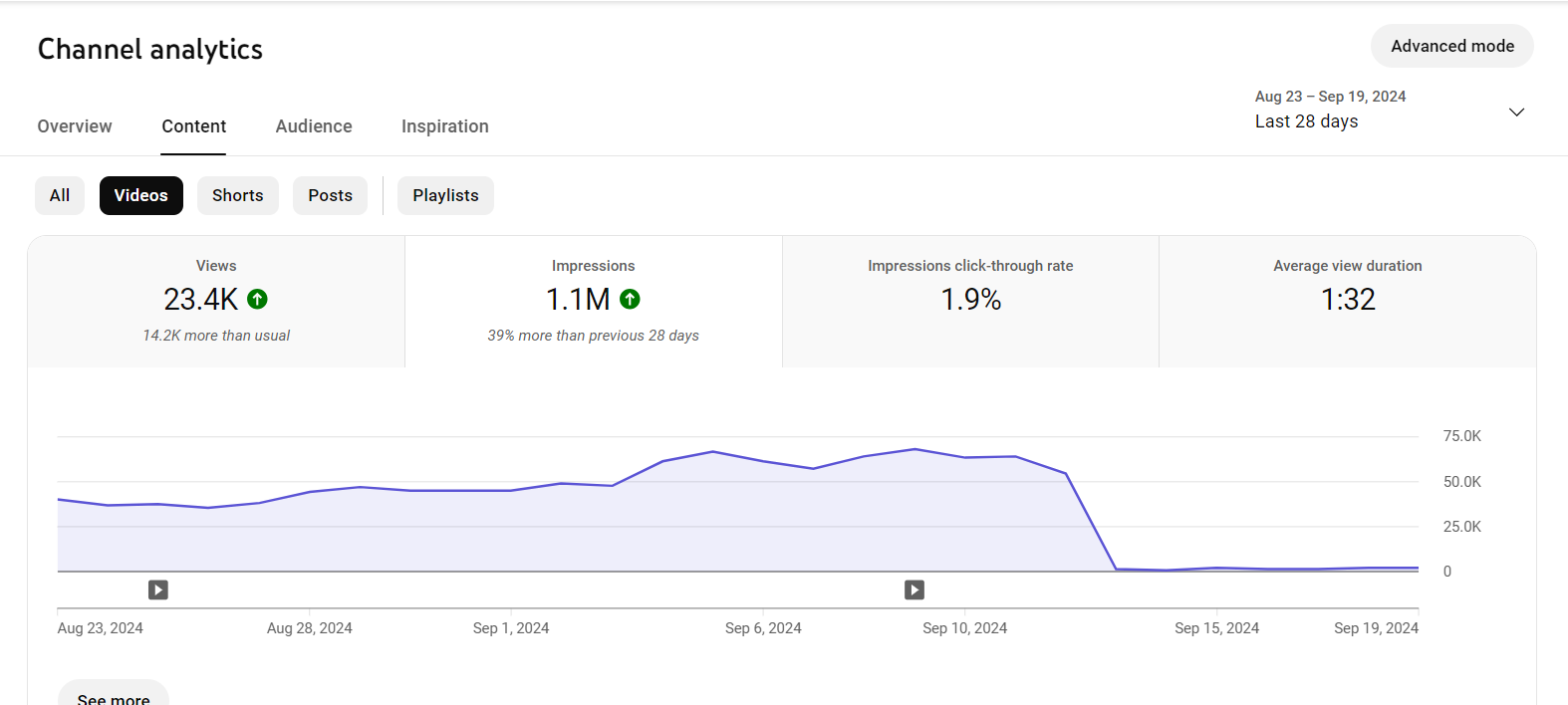
A strike appears in YouTube Studio. Views suddenly collapse. Or one morning, you can’t even log into your channel. In those moments, it’s not just a technical issue. It’s stress, doubt, frustration, and sometimes real fear. You start questioning past decisions, old videos, and even whether continuing is worth it at all.
What most people don’t talk about is how emotionally disruptive these issues are. When YouTube is tied to income or long-term plans, problems don’t stay on the screen - they follow you offline. You think about them at night. You replay mistakes in your head. That emotional weight is why creators panic, overreact, or shut down completely.
The truth is simple but comforting: almost every creator who stays on YouTube long enough goes through this. The creators who last aren’t problem-free. They’re problem-capable. They know how to slow down, assess the situation, and respond instead of reacting.
Most YouTube issues are temporary. They just feel permanent when you’re inside them.
Understanding YouTube Strikes (and Why They Feel So Intense)
A YouTube strike immediately pushes your channel into a “danger mode” in your head. Even if it’s your first one, your mind jumps straight to worst-case scenarios: channel deletion, monetization loss, or years of work wasted in a single click. That fear response is natural - but it’s also what makes strikes feel more dangerous than they often are.
In reality, strikes are enforcement tools, not automatic punishments. YouTube uses them to keep the platform safe for advertisers, viewers, and creators. Most strikes fall into two categories: copyright and community guidelines. Copyright strikes usually come from music, clips, or visuals you don’t fully own or license. Community guideline strikes come from content YouTube believes could mislead, harm, or violate its standards.
What makes strikes especially stressful isn’t just the restriction itself - it’s the uncertainty. Suddenly you don’t know which videos are safe. Older uploads feel risky. Every future upload feels like it could make things worse. That mental pressure often causes creators to freeze or overcorrect.
Many creators get strikes without intending to break rules. They trusted “royalty-free” libraries that weren’t truly licensed. They misunderstood fair use. Or they followed advice that worked years ago but no longer aligns with YouTube’s current policies. In some cases, policy updates turn previously safe videos into liabilities overnight.
Important mindset shift: Strikes usually aren’t about you. They’re about systems, automation, and compliance - not personal judgment.
Practical strategies to reduce strike risk
- Treat every asset as unlicensed until proven otherwise
- Avoid using “everyone does this” as justification
- Audit older videos once or twice a year
- Be extra cautious during active strike periods
How to Recover from a Strike Without Making Things Worse
The most dangerous moment after a strike isn’t YouTube - it’s your emotional response. Panic leads creators to delete half their channel, rush appeals, or stop uploading entirely. None of those actions help, and most of them slow recovery.
Start by slowing down. Open YouTube Studio and read exactly what the strike says. Not what forums speculate. Not what other creators assume. What YouTube actually states matters most because that’s the framework you’re operating inside.
If the strike is valid, compliance is usually the fastest exit. Remove or edit the content, complete any required policy training, and avoid similar uploads for the next 90 days. In most cases, strikes expire quietly if nothing else goes wrong. You don’t need to “fix” everything at once - you just need to not repeat the issue.
If you believe the strike is incorrect, appeals should be calm, factual, and brief. Appeals are explanations, not arguments. Emotional language rarely helps, and long defensive messages often work against you.
Recovery is also behavioral. YouTube watches what you do after a strike. Your upload patterns, content choices, and viewer response all signal whether your channel is stabilizing or escalating risk.
Recovery-focused strategies
- Upload fewer but safer videos
- Stick to predictable formats
- Avoid edgy experiments temporarily
- Focus on watch time and retention, not views
If monetization rules feel risky or unclear, learning safer monetization paths removes a lot of anxiety and future risk.
Why YouTube Channels Get Hacked (and Why It Feels So Violating)
A hack feels very different from a strike. A strike feels like a mistake. A hack feels like a violation. Something was taken from you without permission, and that loss of control hits hard.
Once a channel starts earning or growing, it becomes a digital asset. Hackers don’t care about your niche or your message - they care about access and leverage. Even relatively small channels get targeted once monetization or steady traffic is visible.
Most hacks start with emails that look legitimate: sponsorship offers, copyright claims, or “urgent” YouTube messages. These emails are designed to catch you when you’re tired, distracted, or excited. One click is often enough.
Once access is gained, things escalate fast. Scam livestreams appear. Videos disappear. Monetization gets flagged. Worse, YouTube’s automated systems may treat hacked behavior as intentional abuse, creating secondary problems.
Creators who work with editors, agencies, or multiple tools are especially vulnerable if permissions aren’t tightly controlled. One compromised login can open everything.
Common early warning signs
- Unexpected logouts
- Passwords suddenly stop working
- Content appears you didn’t upload
- Login alerts from unfamiliar locations
Recovering a Hacked Channel and Making It Harder to Hack Again
If your channel gets hacked, speed matters - but clarity matters more. Rushing without documentation often slows recovery instead of speeding it up.
Start with Google’s account recovery process and use every backup option available. If that fails, contact YouTube Creator Support and prepare proof of ownership. Analytics screenshots, monetization records, private video links, and old emails all help establish control.
Once access is restored, do not rush back to uploading. Lock everything down first. Many creators get hacked again simply because they fixed access but ignored underlying security gaps.
Post-hack security strategies
- Enable 2FA on all Google accounts
- Change passwords everywhere, not just YouTube
- Remove unknown devices and apps
- Reduce editor/admin access to essentials only
Audience communication also matters. Silence creates distrust. A short, honest update reassures viewers and resets expectations.